![Logo Arenametrix détouré blanc HD.png]](https://guide.arenametrix.com/hs-fs/hubfs/Logo%20Arenametrix%20d%C3%A9tour%C3%A9%20blanc%20HD.png?height=44&name=Logo%20Arenametrix%20d%C3%A9tour%C3%A9%20blanc%20HD.png)
You may sometimes need to manually add or remove a consent for one or more contacts, for example following a direct request or a data correction. Arenametrix allows you to do this in two ways: in bulk from the Contacts page, or individually from a contact's profile.
1. Managing consents in bulk from the Contacts page
This method is useful when you want to apply a change to several contacts at once.
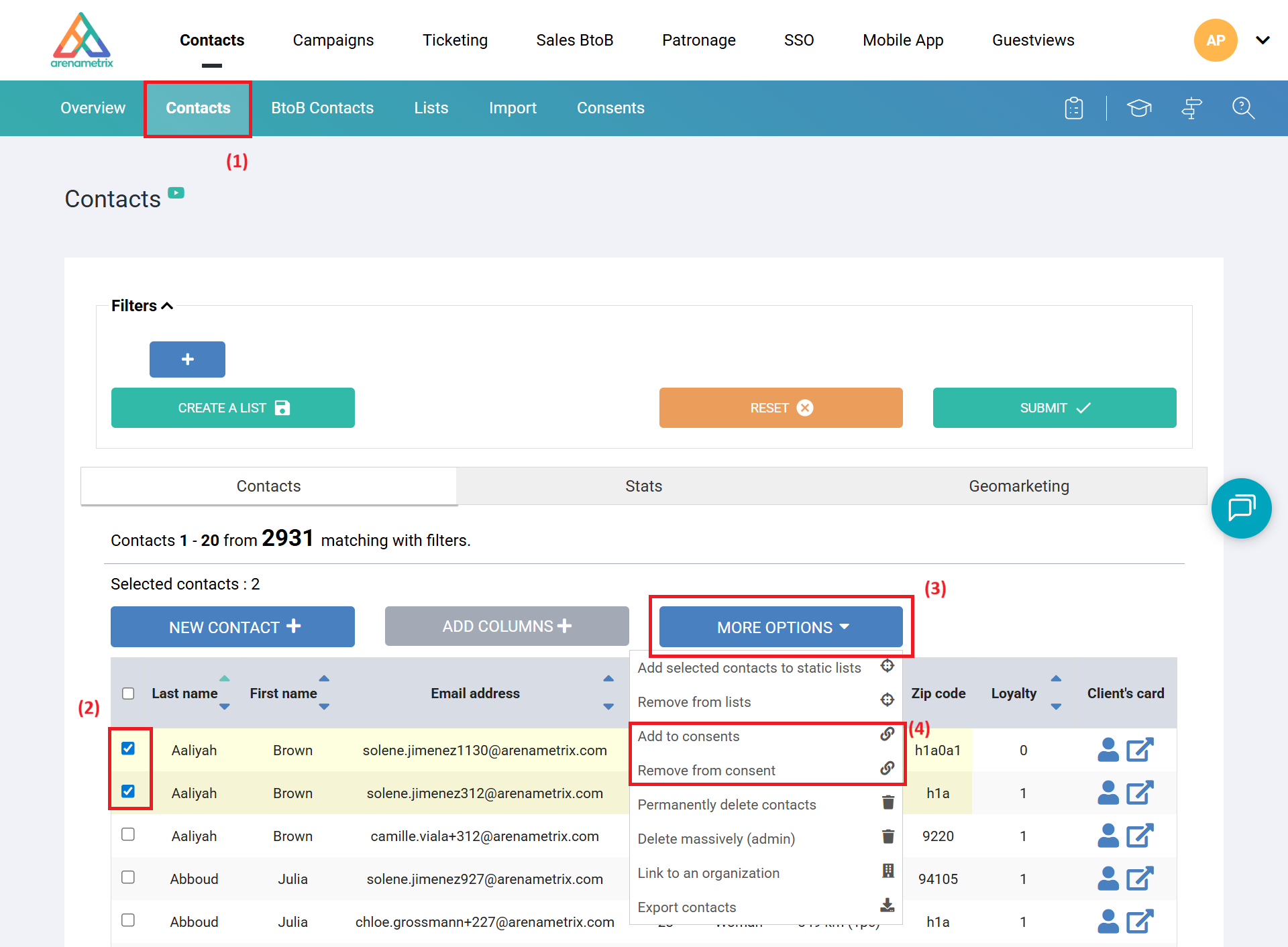
Go to the Contacts tab (1). You can use the Filters panel to refine your selection before proceeding to the next step. Then select the relevant contacts by checking their box (2), and click More options (3). In the menu that appears, choose Add to consents or Remove from a consent (4) depending on the action required.
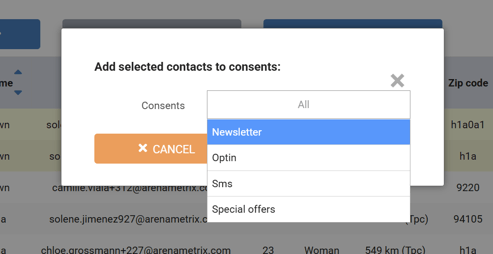
A window opens listing all available consents. Select the relevant consent(s) and confirm.
2. Managing consents individually from a contact profile
This method is suitable when you want to update the consent of a single contact.
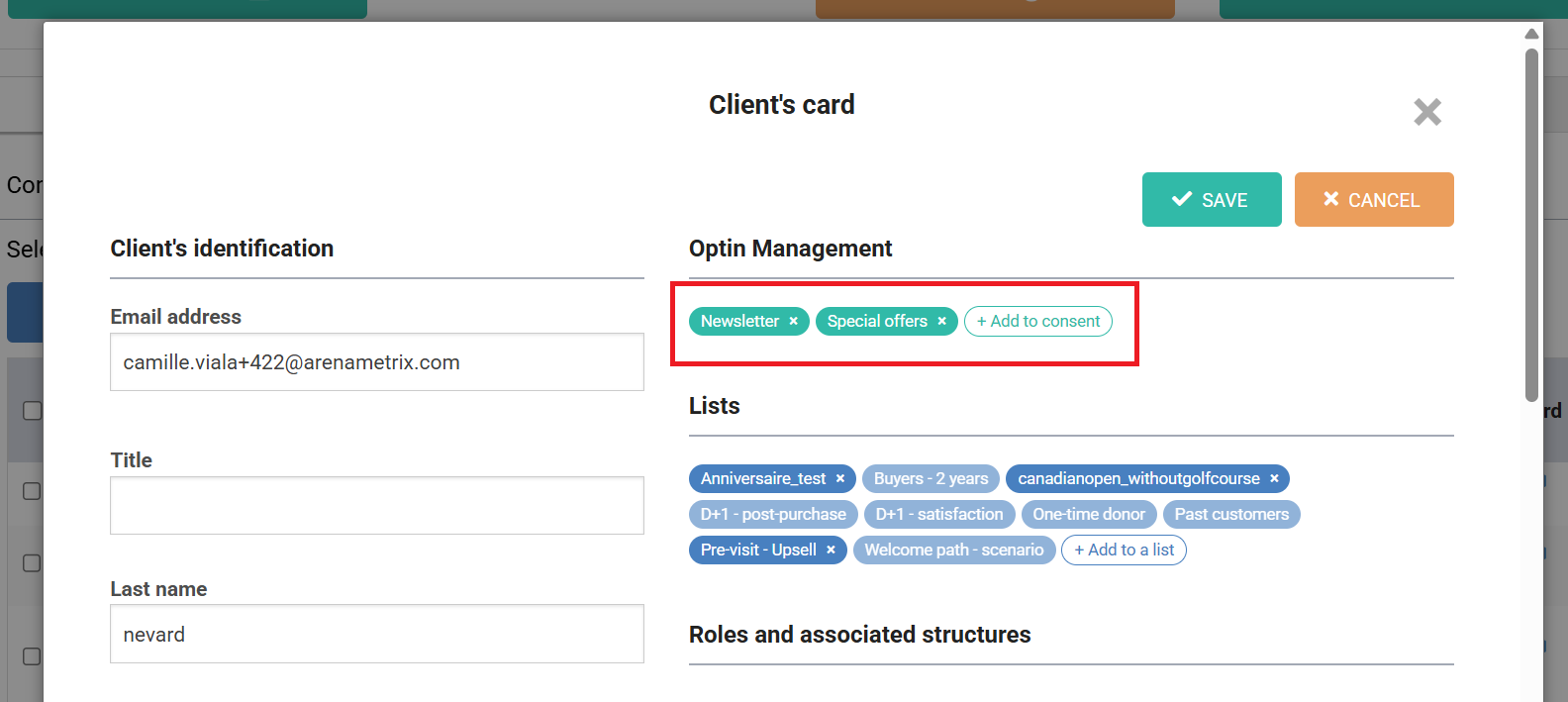
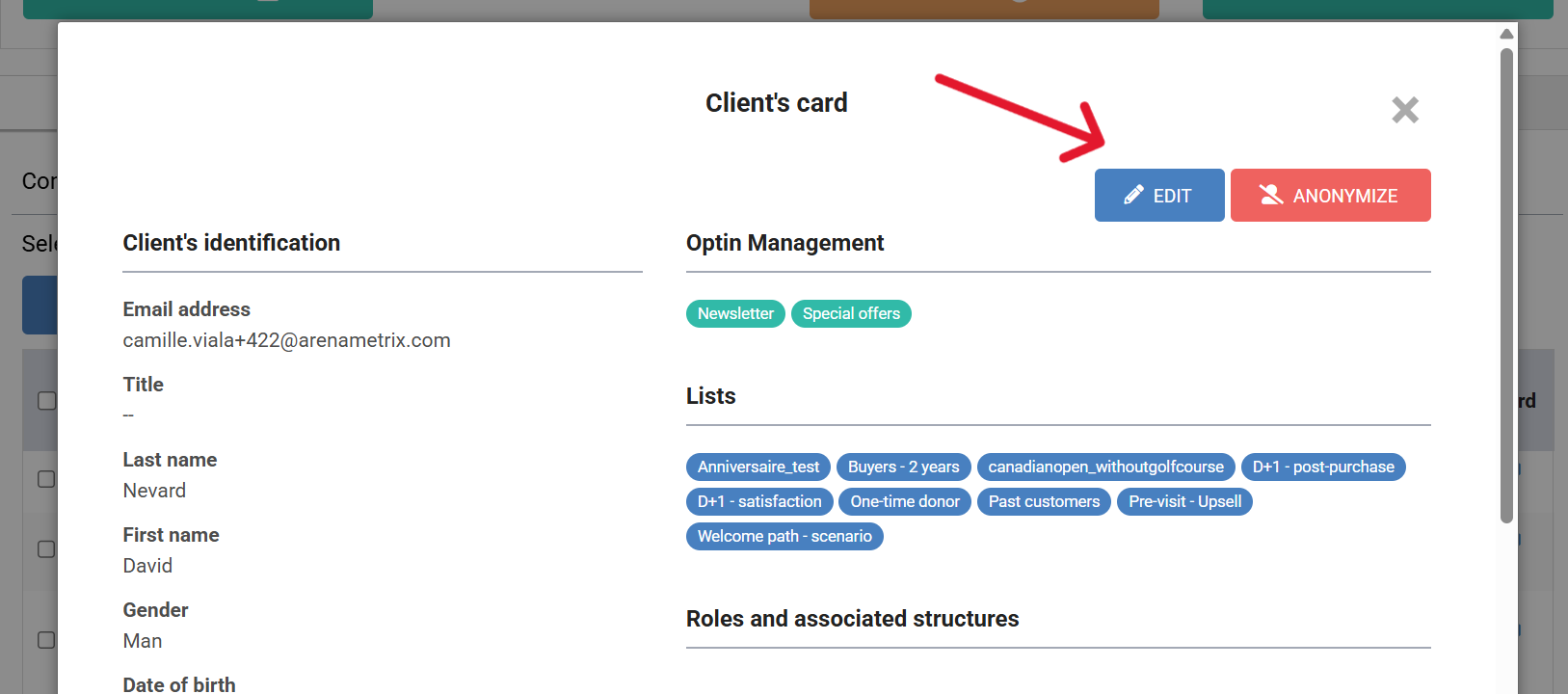
Open the relevant contact's profile from the Contacts page. You can view their active consents directly in the Consent management section, displayed in green and distinct from standard lists shown in blue. Click Edit to switch to edit mode.
You can then remove an existing consent by clicking the cross next to its name, or add a new one by clicking Add to a consent. Once your changes are made, click Save.