![Logo Arenametrix détouré blanc HD.png]](https://guide.arenametrix.com/hs-fs/hubfs/Logo%20Arenametrix%20d%C3%A9tour%C3%A9%20blanc%20HD.png?height=44&name=Logo%20Arenametrix%20d%C3%A9tour%C3%A9%20blanc%20HD.png)
You can associate tasks with opportunities to organize your work and move opportunities forward in the pipeline.
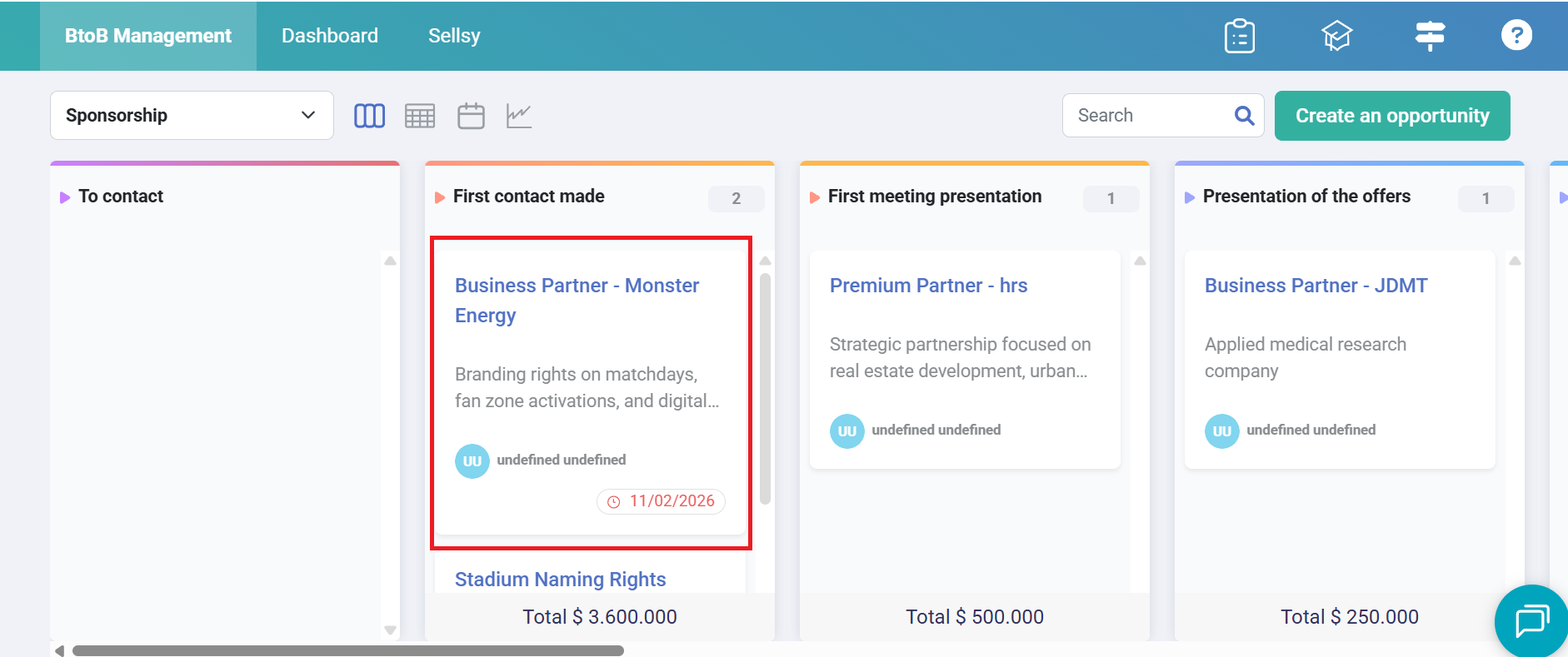
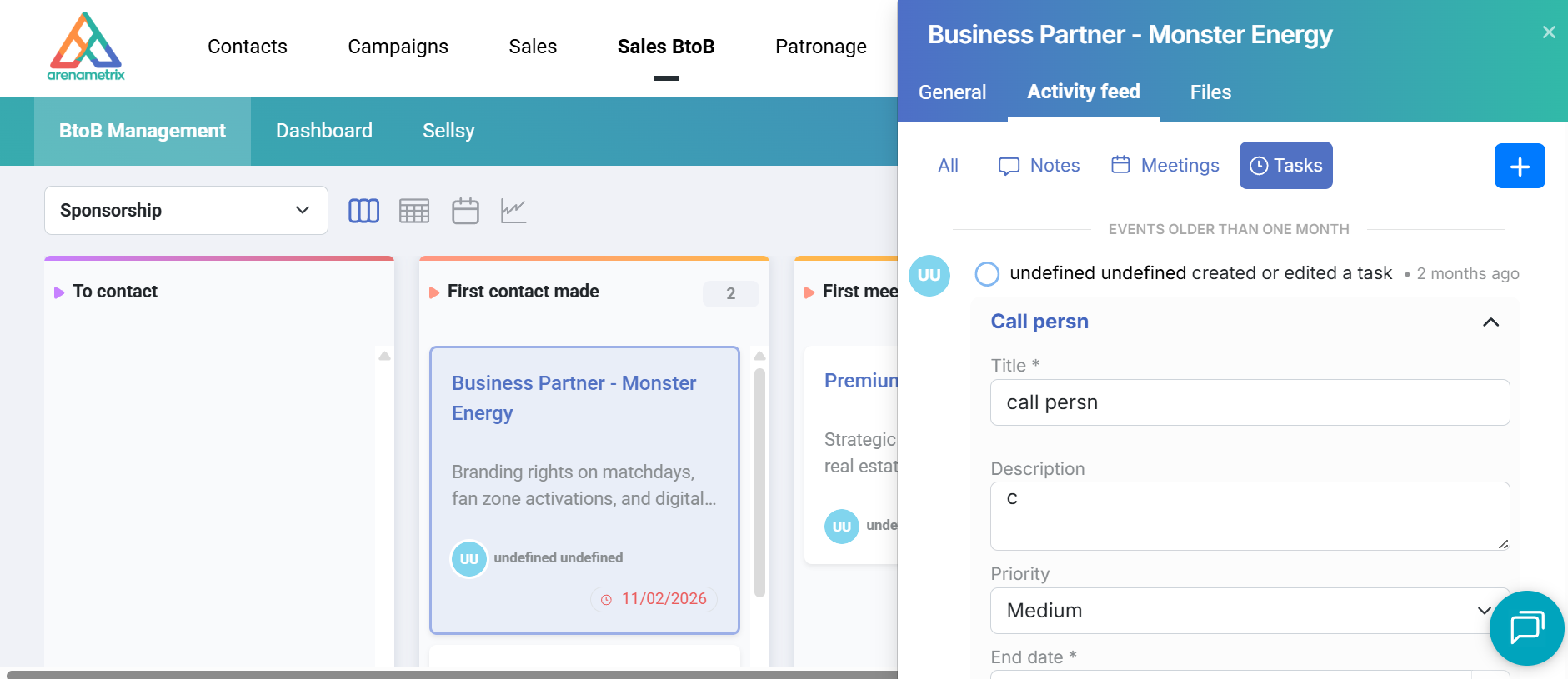
To view, create, or edit tasks linked to an opportunity, click on the opportunity:
In the side panel that opens, go to the Activity feed tab (1), then Tasks (2).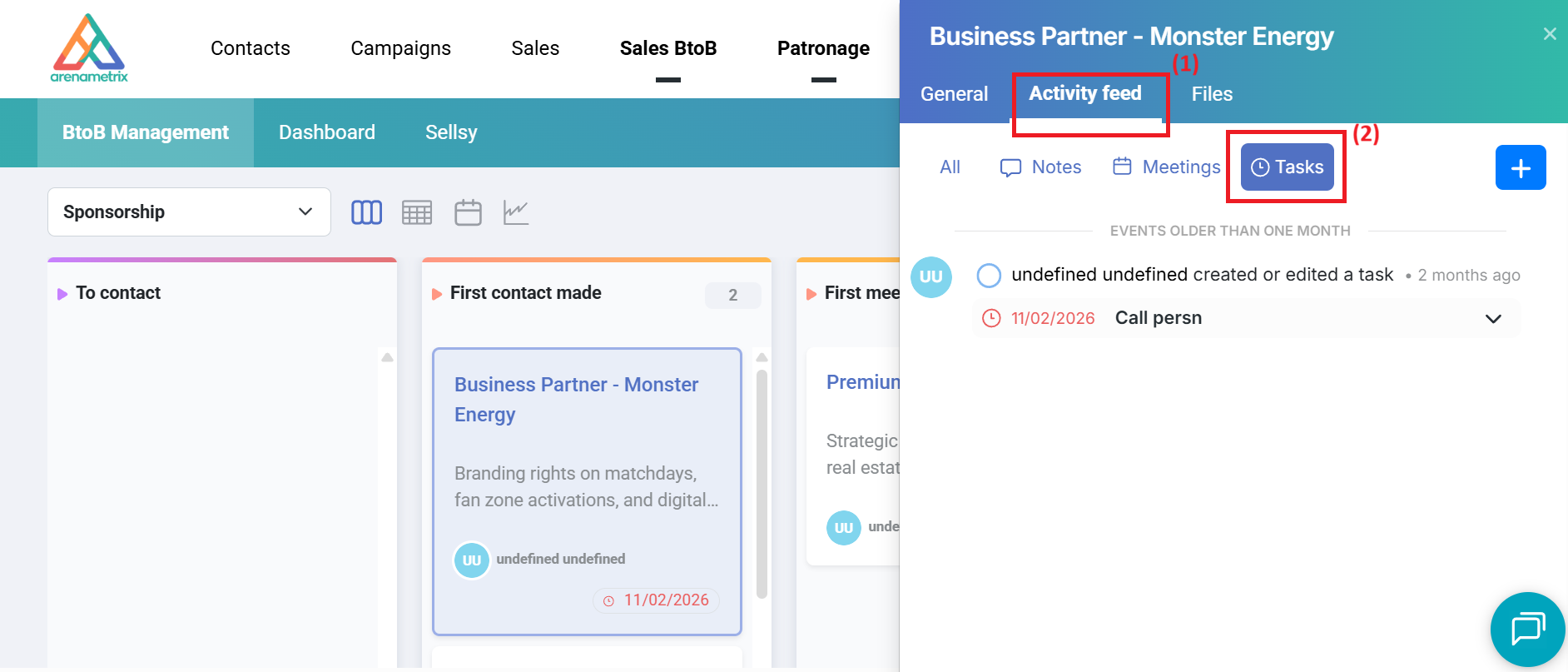
You will then be able to view ongoing tasks along with their due dates.
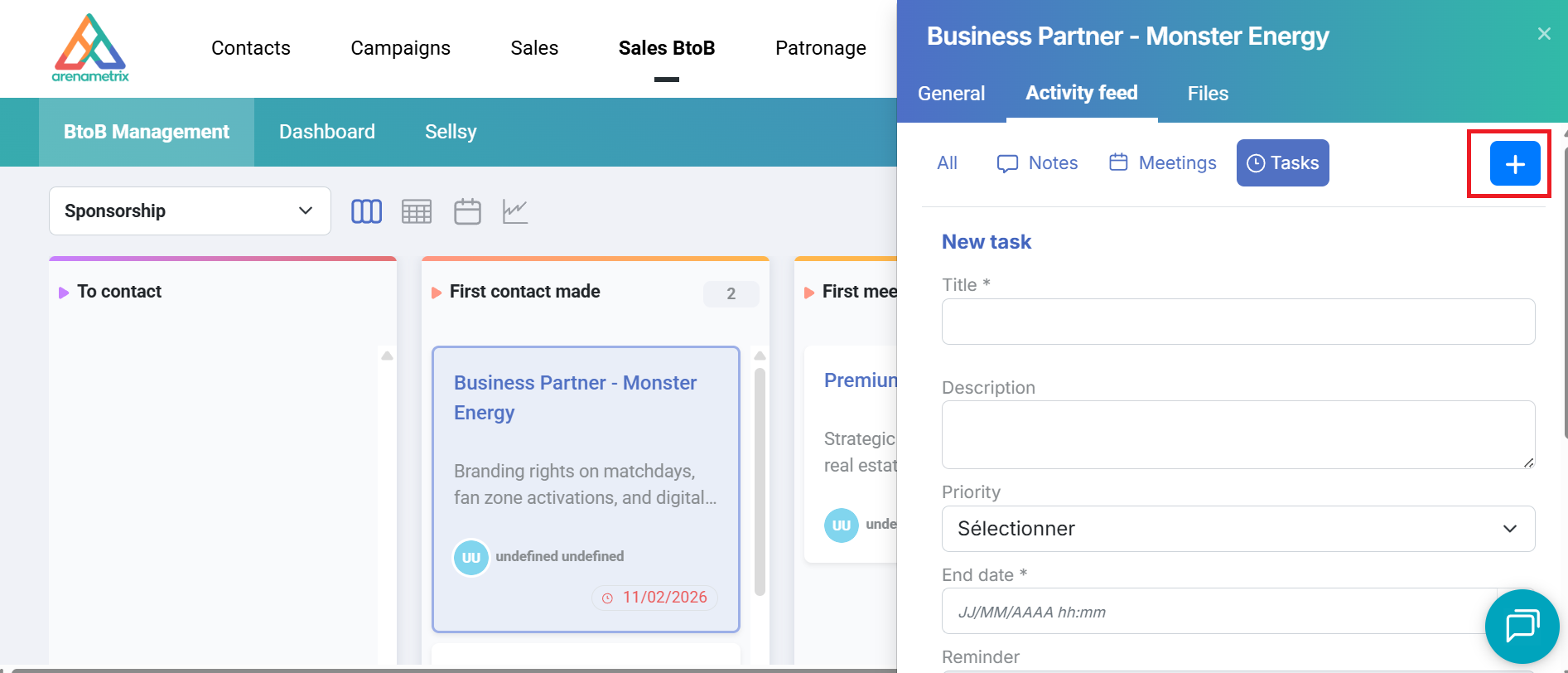
To add a new task, click the + (1), fill in the required fields, then click the Save icon.
To view a task, click on it — it will expand below.
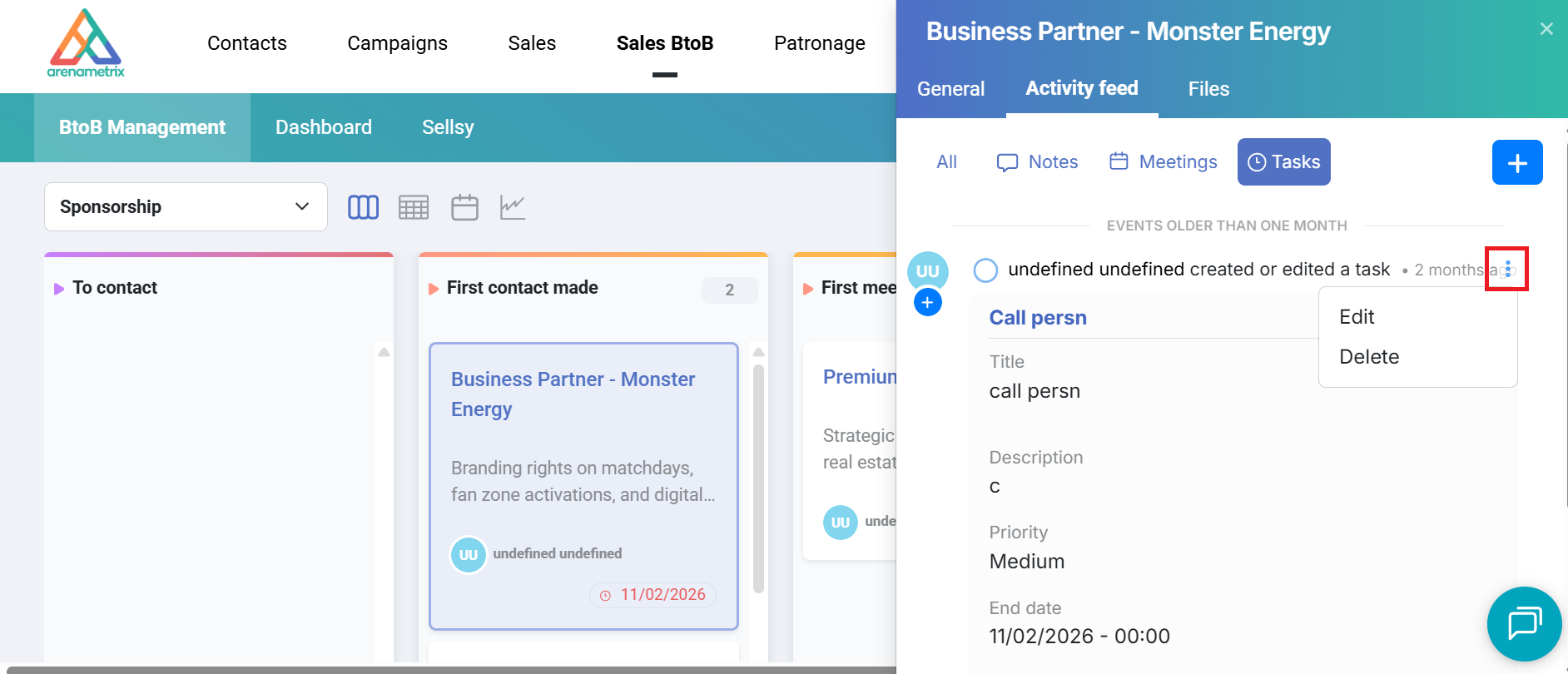
To edit or delete a task, click the … at the top right, then select Edit or Delete. Once your changes are made, don’t forget to click Save.