![Logo Arenametrix détouré blanc HD.png]](https://guide.arenametrix.com/hs-fs/hubfs/Logo%20Arenametrix%20d%C3%A9tour%C3%A9%20blanc%20HD.png?height=44&name=Logo%20Arenametrix%20d%C3%A9tour%C3%A9%20blanc%20HD.png)
By clicking on an opportunity and then on Activity feed, you will access the All view, which provides an overview of all activity related to that opportunity.
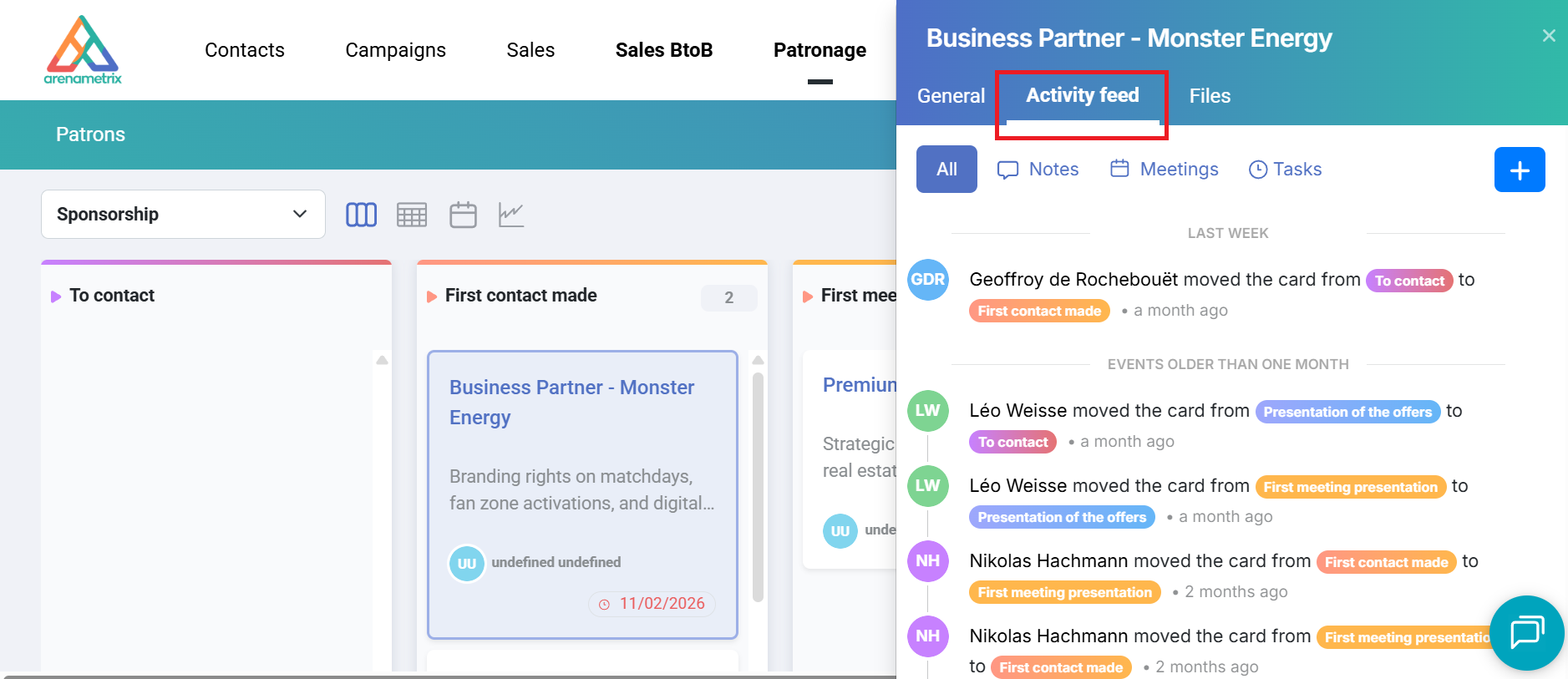
All actions performed on the opportunity are displayed here. 5 types of actions are tracked:
-
Create an opportunity
-
Move the opportunity
-
Change the owner
-
Create a note
-
Create a task
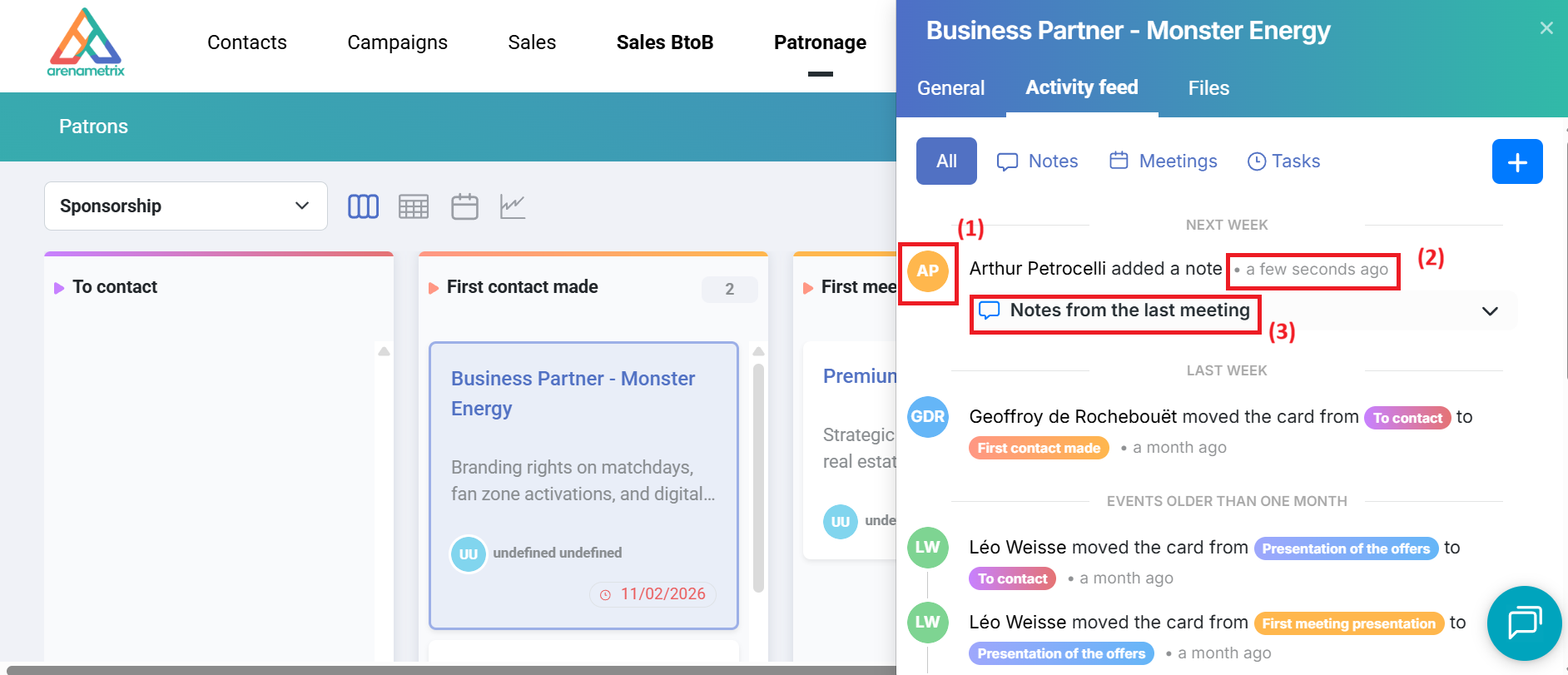
On the left side, you will see the initials of the person who performed the action (1). On the right side, you will see how long ago the action was performed, and for tasks, the due date (including the exact date displayed directly) (2).
Finally, to view the details of notes or tasks displayed in the activity feed, simply click on them — they will expand below (3).