![Logo Arenametrix détouré blanc HD.png]](https://guide.arenametrix.com/hs-fs/hubfs/Logo%20Arenametrix%20d%C3%A9tour%C3%A9%20blanc%20HD.png?height=44&name=Logo%20Arenametrix%20d%C3%A9tour%C3%A9%20blanc%20HD.png)
Views allow you to save a specific organization of your lists and easily reuse it. They are available for both opportunities and tasks.
Please note: views work the same way for opportunities and tasks, but they are independent. A view created for opportunities will not be available for tasks.
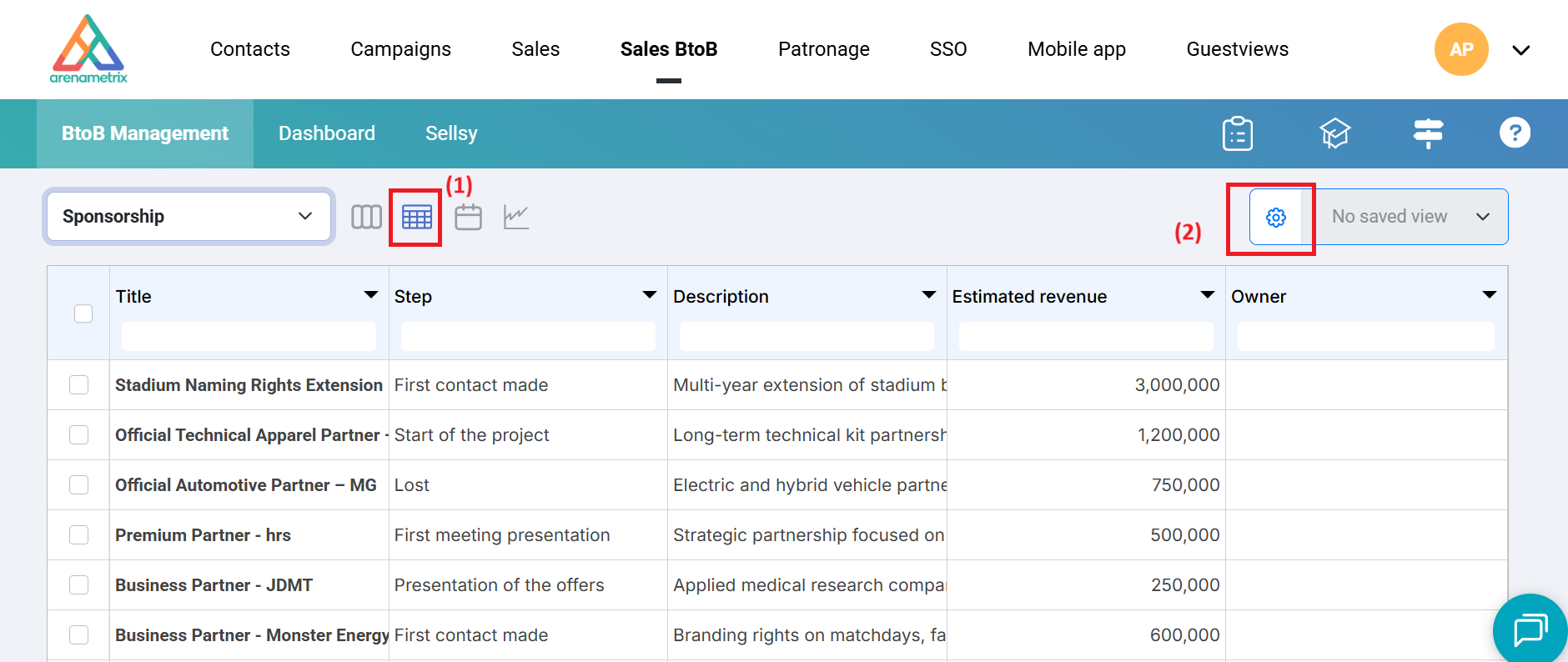
To create a new view, click on the Table section (1), then on Configure columns (2). The multi-select on the right allows you to access an existing view by selecting it from the list.
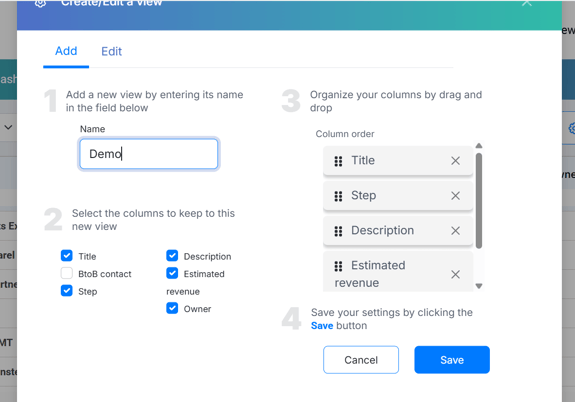
Create a new view in 4 steps:
-
(1) Enter the name of your new view in the dedicated field
-
(2) Select the columns you want to include in this view
-
(3) Arrange the columns by dragging and dropping them in the desired order
-
(4) Click Save
To edit an existing view, follow the same process by selecting the desired view from the multi-select.